Smart Tools

Rigging, Motion Displace, the Tracker and Auto Cut: work that used to take hours, done for you.

Rigging

Studio

Add the Rigging effect and click on the layer to place pins. Drag a pin and the shape bends naturally around it; each move becomes a keyframe.

  • Pin types for moving, stiffening, bending and choosing which part lies on top.
  • Vector layers bend through their paths and stay sharp at any size.
  • Sway adds gentle automatic motion, like leaves in the wind.
  • Puppet Sketch: hold Ctrl and drag a pin to record your mouse movement in real time.
Motion Displace

Studio

Animate a layer the usual way, add Motion Displace, and it behaves like a soft rubber body: it lags behind when it starts, bends in fast moves and swings past when it stops.

Everything that moves the layer counts: keyframes, modifiers, expressions, physics and parents. One control, Viscosity, sets how soft it is. Hold At chooses the point that stays put.

On text, Per Letter makes every letter its own body, and it works together with the Text Animator.

Tracker

Studio

Add the Tracker effect to a video, place the box on a detail and press Track. The classic method follows exactly that spot, forward or backward, with position, or with position, rotation and scale.

  • Attach graphics with the Tracker modifier on their position.
  • Stabilize holds the tracked spot still to steady handheld footage.
  • Smoothing evens out small jolts in the finished track without lagging behind the motion. The track itself stays as it was, so you can change it any time.
  • Made for hard shots too: a few frames where the spot is lost are bridged. If it is gone for longer, tracking stops and tells you where.

For shots where the spot turns away or is covered, switch Method to AI.

Auto Cut

Studio

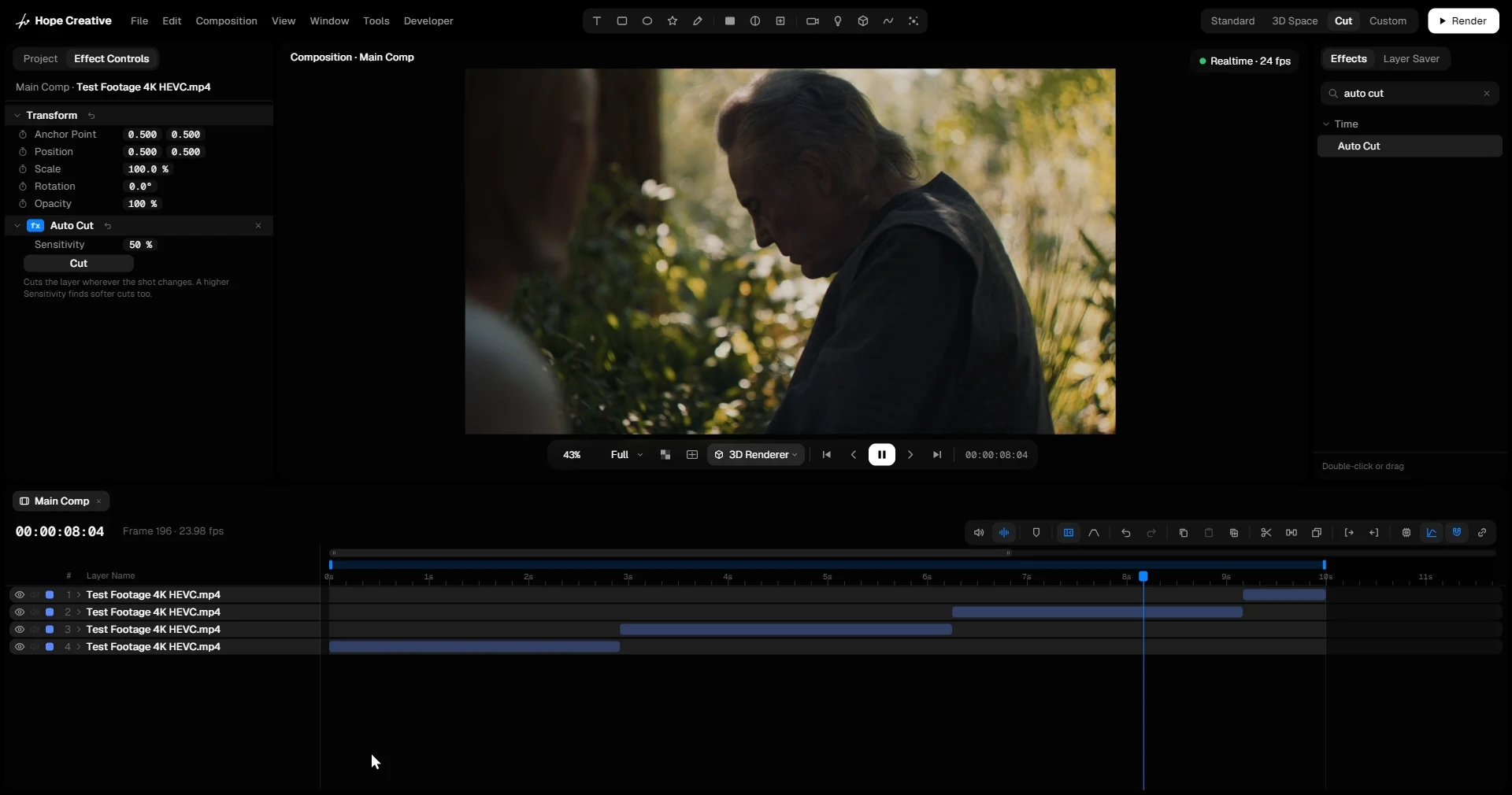
Drop in a long video, add Auto Cut and press Cut. Hope Creative finds every scene change and splits the layer there, with the sound cut along with it.

Sensitivity decides how big a change has to be to count as a cut.