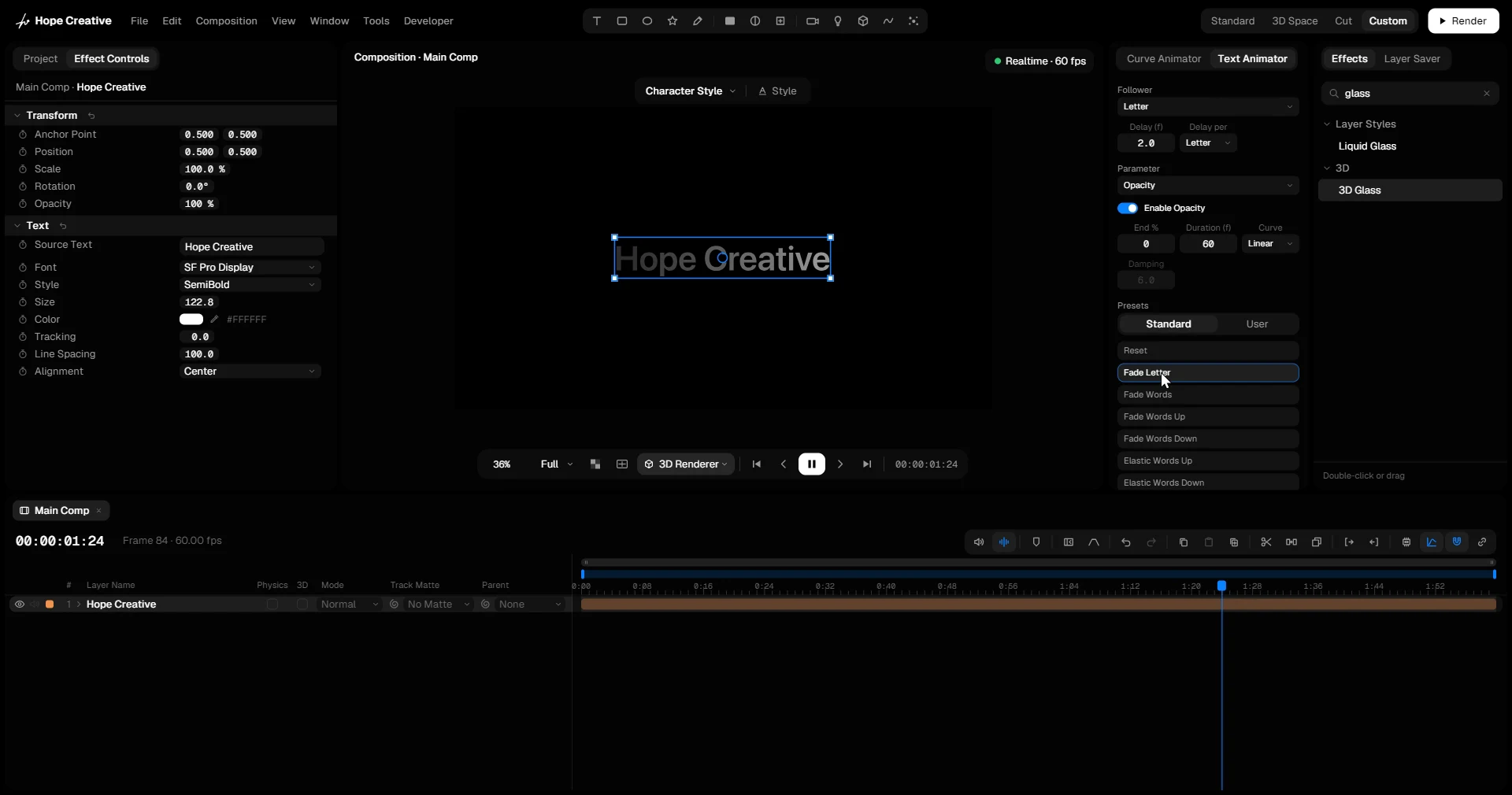
Text Animation

Titles that animate in and out letter by letter, word by word or line by line, plus effects like Scramble, Flicker and Timer.

Watch a title come in letter by letter with the Text Animator, without setting a single keyframe.

Text Animator

Build a title animation without a single keyframe. The settings live on the text layer and play live while you change them.

  • Separate In and Out animations, each with a follower: letter, word, line, random letter, random word and more, with a delay between them.
  • Animate opacity, position, size, rotation in X, Y and Z, color and blur, each with its own curve, including an elastic one.
  • Start from 12 built-in presets or save your own.
  • Spoken Timing: on captions made with AI Captions, every word appears the moment it’s spoken.
  • Works on extruded 3D text too: each letter becomes its own 3D object.
Follower
Parameter
Presets

Type your own text. Drag a number sideways to change it, or click it to type.

Random Letter

Each letter gets its own random rotation, offset and size, in X, Y and Z. Animate the amounts to 0 and the letters fly into place; animate them up and the word bursts apart.

Seed gives a different mix. Random Words does the same word by word.

Scramble

Random characters flicker in place of the text and settle into it as Progress runs from 0 to 100 %. The decode look for tech titles and reveals.

  • Characters: letters, letters and digits, digits, symbols or binary.
  • Order: left to right or at random, with a Speed for how fast the characters change.

Text Flicker

Letters fade on and off at random, for neon signs or glitchy text. Amount sets how far a letter may fade, Speed how often it happens, and Seed picks a different pattern.

Font Morph

The letters morph from their own font into another one as Progress runs from 0 to 100 %. Pick the font and its style; stack several Font Morphs for a chain of fonts. Made for typographic transitions and logo reveals.

Timer

Turns the text into a Timer or a Counter. Let it run by itself, count from a start to an end as you animate Progress with any ease, or animate the value directly.

  • Timers as MM:SS, HH:MM:SS, timecode with frames or days, with decimals and leading zeros.
  • Counters with the thousands separator you need, decimals, and a prefix or suffix such as € or %.

More text effects

The Text category in the Effects panel holds more for type, each working on any text layer:

  • Wave: a wave running through the letters, up and down, sideways, in depth or turning.
  • Arc: the text bent on an arc or a full circle, flat or around a cylinder.
  • Text on Path: the text following a Polyline, with an offset to move it along.
  • Random Color: a color from your gradient for every letter, or across the text.
  • Random Words: like Random Letter, word by word.